
 LG G2
LG G2

 Sony Xperia Z1
 Nokia Lumia 925
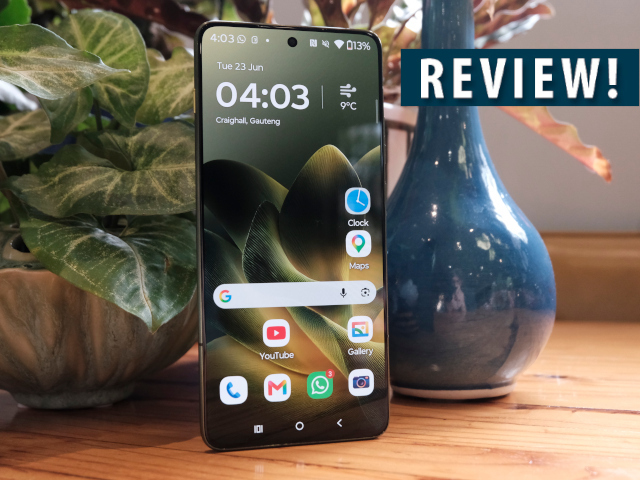
South Africa has not seen too many Motorola devices the past few years. The Motorola Edge 70 now makes an appearance in select retailers, forming part of Chinese’s company’s stylish midrange line-up. After spending a month with the device, it’s difficult not to respect this slender man.
Looks
The Edge 70's biggest differentiating factor from the glut of midrange units available, is its thinness. At a wafer-thin 5.9 mm it is seriously considerate of even the tightest skinny jeans, with its weight at a mere 159 g.
This is, of course, if you are willing to use the device without a protective cover, a risk I’m never truly willing to take. The included hardened plastic cover does add a mm-and-a-bit all around which kinda spoils the party. But the cover does provide extra reasons to use it: an iPhone-like magnetic ring that helps with specific hands-free kits while also making the Motorola wirelessly chargeable – quite a standout feature in the sub-R10k category.
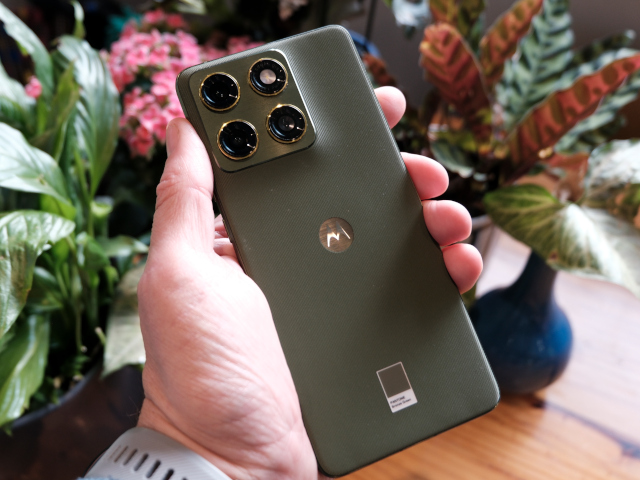
While its thin frame is the draw, my personal favourite is the Edge 70’s clever PANTONE Bronze Green design (at least our review model). It’s a standout from the regular metallic and back-to-black crowd, with the bronze green textured back (nylon-inspired Motorola says, whatever that means) adding not only an interesting texture to the phone, but also grip in hand if you chose to risk life without the cover. With bronze accents around the camera lenses, and brushed aluminium on the sides, the Edge 70 is a seriously good looking – and unique – device.
A quick shoutout also to the Gorilla Glass 7i keeping the screen free from scratches. After a bit more than a month of use, I could only find one small scratch on the screen, quite an achievement.
Camera setup
With 3x 50MP sensors, there is decent photographic power in the camera-setup. The main setup covers regular camera capabilities, but also goes ultrawide with 120 degrees of view, and sufficiently close with macro (as close as 3.5 cm). While certain smartphones automatically switch to macro, the Motorola will prompt you to do so.
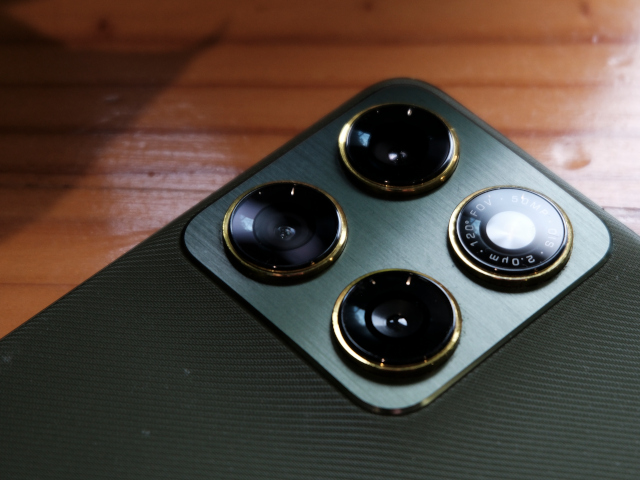
The portrait mode is the standout here, with the option to select from three different focal lengths (24mm, 35mm, 50mm) and five levels of background blur.
The 50 MP front camera also provides decent photos, with a wider selfie mode also available for those group images. Although I did pick it that photos had a slight reddish saturation.
Although the camera setup is good, more expensive units, such as the Oppo Reno 15 Pro (review) provides better image quality.
What I missed on the Motorola is the ability to quickly perform certain AI edits when viewing the photo, as found on fellow Chinese brands Honor and Oppo’s phones. Those phones have interesting AI abilities, such as reflection removal, AI erasers and AI perfect shot. The Edge 70 relies heavily on Google’s own applications: viewing in Gallery and editing in Photos, both of which are not strong on these types of AI edits.
There is, however, an interesting trick the Edge 70 will perform. When viewing a recently taken photo, give a few seconds and you will see a white border forming around the subject; long press this and you’ve just created a sticker of the image.
AI Button
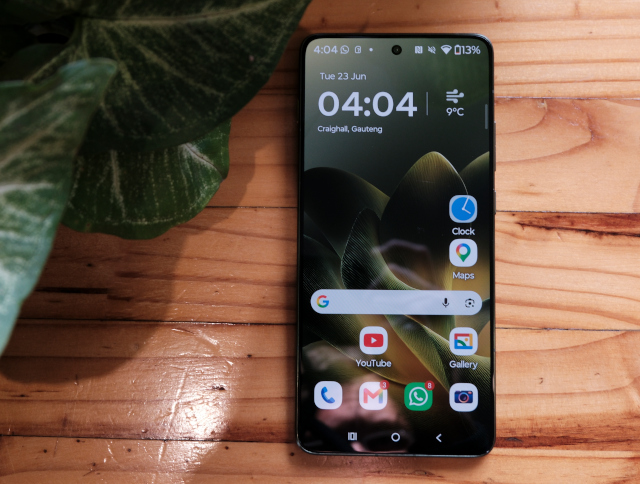
The Motorola Edge 70 includes a stand-alone AI button on the top left of the unit, which open’s Motorola’s own AI app and is not programmable. In theory it should be a benefit to have another AI system available, in this case Motorola's proprietary AI, but in practice it simply took a bit too long for the main screen to load once the button is pressed – more than five seconds. This in contrast to Google’s Gemini activation (through long-pressing the power button) that is basically instantaneous.
Motorola’s AI button provides options such as Remember this and Take Notes, with extras appearing depending on in which application you are using it. One of the things I started to use was the Remember this feature, taking screenshots to build a searchable library of things you want to remember, although added links to the original pages would have helped.
What I can compliment Motorola on is the Smart Connect PC app that connects your phone to your PC via Bluetooth. Here you can transfer files to and fro, plus mirror your phone’s screen on your PC, alongside multitasking across devices. It’s a comprehensive package and will be highly useful for some power users. There is, however, a double alert if you also have WhatsApp installed on your PC already.
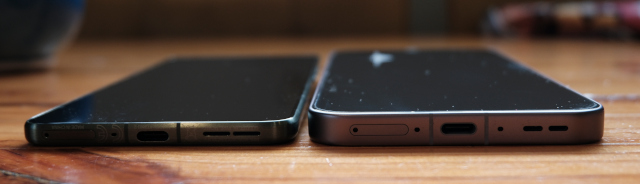
The Motorola Edge 70 next to the Oppo Find X9 Pro on the right.
Battery and further specs
The Edge 70 contains a surprisingly good 4800 mAh silicon-carbon battery. In most cases I had in the region of 30% battery left at the end of the night. With this, you can skip a charge and simply do a quick charge in the morning with the 68W TurboPower charger (15 min of charge provides close to 40% in power). Sure, there are other phones with larger batteries, but none that fits so nicely in your pocket.
As far as specs are concerned, the Edge 70 is a strong midrange contender:
- Snapdragon 7 Gen 4 chip
- 6.67" pOLED display
- 2717 x 1220 display resolution
- 12 GB RAM
- 512 GB of storage
- Android 16
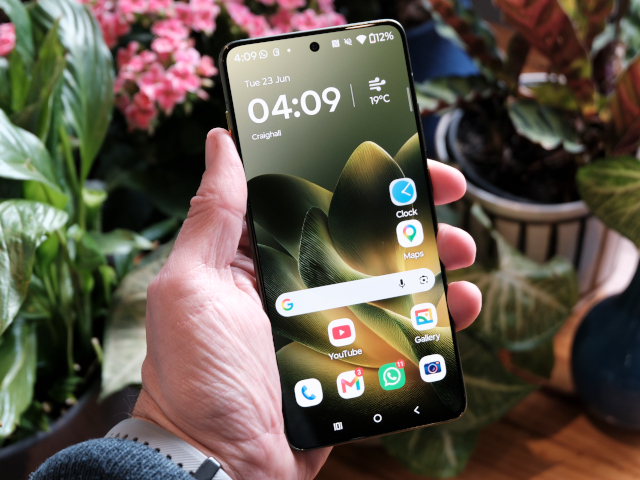
Overall, there is not a lot to fault the Edge 70 on, with about the only omission being a lack of eSim – a bit of a hassle when travelling overseas. It’s also not a bulletproof as Honor’s X9c or offers that massive 6600 mAh battery.
However, if a lightweight and (very) slim phone, with its unique PANTONE coloured looks alongside solid performance from all the key areas, is what you are looking for, then the R9 999 Motorola Edge 70 is certainly it.
DISCLORE: Motorola Edge 70 was received from Lenovo and not returned.


 Total War: Attila
  LG V30 will be first smartphone to feature f/1.6 camera lens
 Latest LG V30 leak gives us best look yet at forthcoming flagship
 Quick review - Samsung NX300
 Logitech Pebble 2 Combo
 Samsung Galaxy S4 Zoom - white
 Quick Review: Tecno Spark10 5G
.jpeg) Beware of deepfakes in the AI age, warns Kaspersky
Beware of deepfakes in the AI age, warns Kaspersky


