
 Epson Stylus SX445W all-in-one printer

 Canon PIXMA MX870
 HP Photosmart Plus B209a 3-in-1 Printer
Lexmark’s new OfficeEdge range is targeted at corporate users, where it will service SMEs as well as small work group (four to ten users) such as the marketing team within a big firm. The OfficeEdge Pro4000 boasts a number of features to lure businesses away from the competition, such as Wi-Fi connectivity (802.11 n) and quick printing speeds.
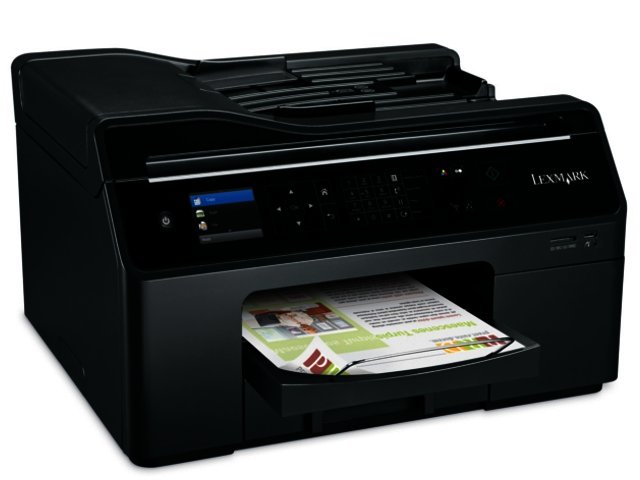
Form follows function design approach
It will be best to place this beefy thermal inkjet at a permanent spot as soon as its unboxed, due to its considerable 300 x 500 x 427 mm frame and bulky weight of nearly 16 kg, which annexes a sizable chunk of your desk real estate.
Compared to more stylish designs such as Lexmark’s GENESIS S815, the conventional looks of the Pro4000, coupled with its monotonous black colour scheme, does not exactly make for the most fashionable printing hub.
There is a 2.4" colour LCD display at the front of the all-in-one (AIO) printer, flanked by a cluster of buttons on its right side via which users are able to easily select features such as scanning or copying. Unlike some other models, the LCD display is not a touch-screen.
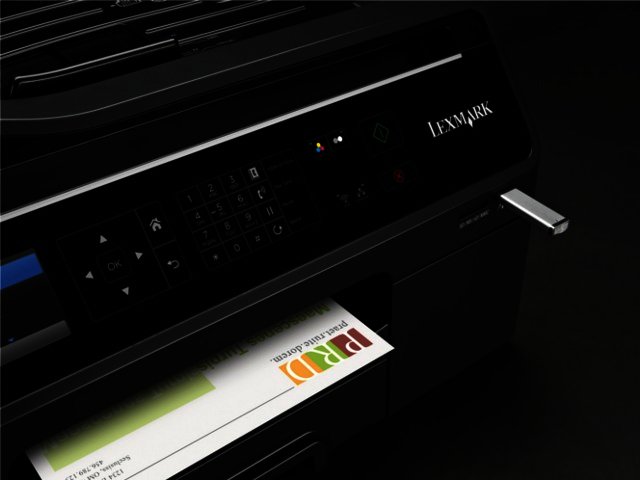
Besides a USB 2.0 port, users will no doubt appreciate the memory card socket, which is able to read the likes of SD, Sony Memory Stick and Memory Stick Pro cards, MMC and xD cards. The combo of the LCD display and USB port, means that you can print documents from, or scan ones to a storage device sans the PC needing to be used as an intermediary.
Snappy printing performance
Lexmark asserts that the inkjet OfficeEdge Pro4000 (along with more the Pro5500 colour AIO) boasts faster print speeds than most similarly priced colour laser MFPs (multifunction printers). According to the US firm, the printer sport print speeds of up to 21 pages per minute (ppm) in black and 14 ppm in colour, as well as the fastest time (seven seconds) to first page (B&W) compared to laser devices in its class.
In our tests, whilst printing in draft mode we did match the 14 ppm speeds, printing out bundles of seven pages in about 30 seconds each. The ppm dropped by around five pages per minute when opting for normal quality prints however.
Once it gets going the printer performs, but it can take a while for the Pro4000 to start printing a page when you send a job to the printer whilst it was in sleep mode following an extended period of non-usage.
When it comes to print quality, the Pro4000 matched that of its SME targeting competition such as HP’s Officejet 6500A Plus, whilst duplex printing is also on offer (this always gets an approving nod from us). Unlike on Epson printers though where printouts leave the printer totally dry and smudge proof, there were quite a few occasions where the Pro4000 sent out noticeably damp pages, although this luckily never led to the prints smearing.
Office workhorse
In order to handle the increased printing demands of SMEs, Lexmark equipped the Pro4000 with a 300-sheet A4 paper tray situated at the bottom of the front panel. We like the sizable output tray (which can handle 150 sheets) just above the paper tray, which neatly collects printouts as they leave the unit.
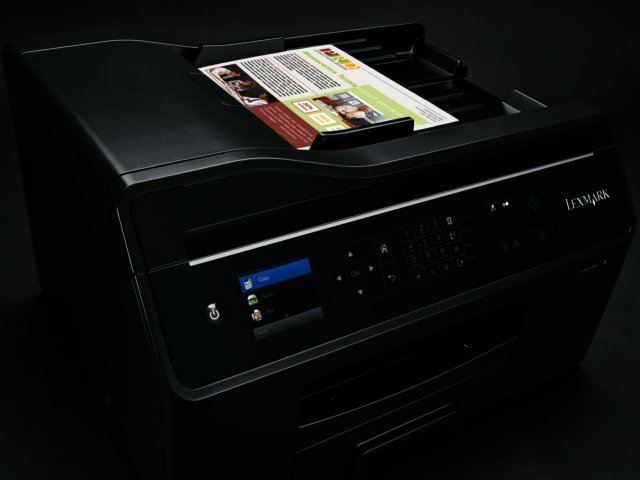
In terms of scanning, the Pro4000 is able to scan at a resolution of up to 1200 x 4800 ppi, with users being able to employ the 50-sheet ADF (automatic document feeder) for larger copying jobs. The Pro4000’s big brother in the OfficeEdge range, the Pro5500, offers double-sided scanning too.
To the point
Lexmark’s OfficeEdge Pro4000 printer features a sizable paper tray along with a convenient paper output tray to cope with the larger print demands of an SME environment. In addition, it offers firms some pretty snappy printing times as well as useful scanning and copying features.
The lack of a touchscreen does not seem to have played any part in bringing down the recommended retail price from a pricey R2370. Users who require additional functionality, such as a 10.9 cm colour touchscreen and double-sided scanning facility via the ADF, can opt for the OfficeEdge Pro5500, which carries an RRP of R3800.
Pros:
Sizeable 300-sheet paper tray; 50-sheet ADF; 150-sheet output tray to collect printouts; memory card slot that can read plenty of different card types; and PC-less scanning and printing ability.
Cons:
Printouts can leave the unit damp; can take a while to get going following long periods of nonuse; not the most eye-catching printer design; not most affordable multifunction printer in its class.


 How sovereign is your strategy? Introducing the Red Hat Sovereignty Readiness As...
 Puma Seasons trail gear - TESTED
 Top 5 best small premium cars
 The VPN era is ending, and South African businesses need a cleaner access model
 Sinotec 43E390 Full HD Smart TV
 Logitech Pebble 2 Combo


