
 Sony XB41 EXTRA BASS portable speaker

 WD TV Live Hub
 Sony BDV-E300
External media servers are becoming more and more popular as people are discovering the joys of transferring and streaming the tons of data they own to enjoy on the TV instead of sitting alone in front of the PC.
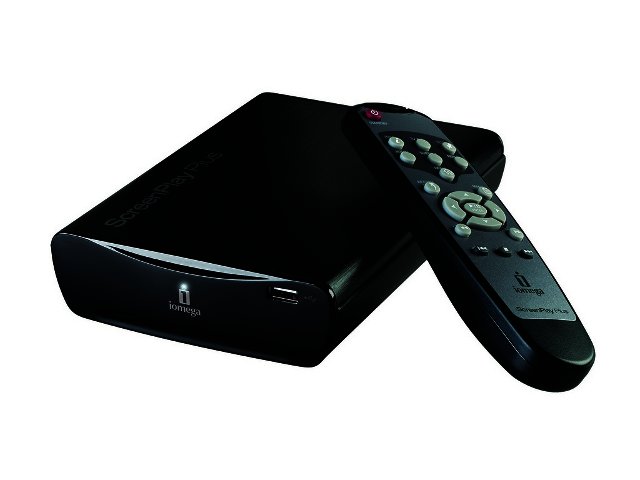
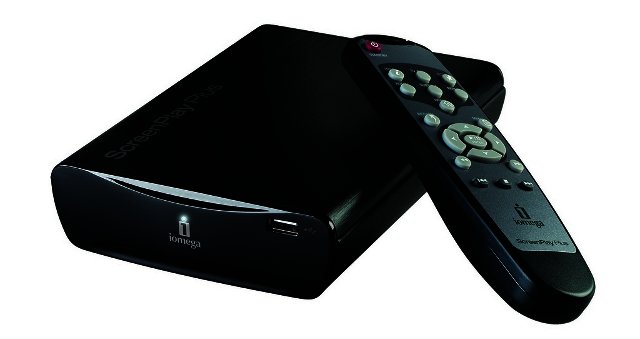
Iomega has been one of the companies leading the charge, as can be seen with its ScreenPlay Director HD. This time around however we're taking a look at a cheaper and slightly less hardcore, but no less useful device, ScreenPlay Plus HS Media Player.
Setup
As with previous Iomega devices, setting up the ScreenPlay Plus proved to be a breeze. Users simply connect it to their PC via the included USB cable and transfer all the media files they want (the device has a 1 TB capacity) in exactly the same way as you would copy files from a removable device.
Users can create folders within the device to make organising music, movies and pictures easier, so all-in-all it's the easiest interface imaginable. No struggling with pesky software installs here.
After you have transferred your chosen media files to the ScreenPlay Plus you can remove the device and connect it to your TV. It must be noted that the device requires external power, but a handy two-pin connector with a relatively lengthy cable makes this easy as well.
For best performance it would be advisable to connect the device utilising an HDMI cable, so if you have one lying around don't throw it away since the ScreenPlay Plus doesn't ship with an HDMI cable included. If you don't need the ultra-crisp pictures of HD, the ScreenPlay Plus can also be connected via an included composite AV cable.
Usability
The device takes a bit of time booting up, but nothing overly annoying. We connected it to a LG W2794V monitor via an HDMI cable and was impressed at how easy it was to access the device. An included remote control is used to navigate through a simple menu, listing your files in alphabetical order.
It must be noted that unlike the Director, the ScreenPlay Plus doesn't support full 1080p HD although it can handle 720p and 1080i without a hassle.
Compatibility
Media Players such as this is supposed to be instantly compatible with almost any format you wish to slap onto it, obviously this is hard to achieve, but the ScreenPlay Plus still impressed.
Most importantly the device is DivX Home Theatre certified to play DivX video. But aside from that it supports a ton of media formats including MP3, AC3, WAV, WMA, MPEG-1, MPEG-2, MPEG-4 (AVI/DivX/XViD) and good old JPEG for picture viewing.
Software
Although no software is required to use the device for its intended purpose, Iomega still supplies users with a set of software solutions. The Iomega Protection Suite is bundled free of charge and includes Iomega QuikProtect for scheduled file backup plus a free subscription to an anti-virus, anti-spyware and web security application.
Conclusion
The Iomega ScreenPlay Plus HD Media Player is a very useful device for those of us wanting to enjoy our media files on an HDTV instead of hunkering down in front of the PC. As media players are becoming more prevalent to help connect our increasingly elaborate home theatre systems, we expect these devices to move more into the mainstream. If only it had wireless and 1080p support like its big brother the ScreenPlay Director HD, it would be perfect.
The Iomega ScreenPlay Plus HD Media Player is retailing for a recommended R2199 and is available from Incredible Connection.

PROS
Easy to setup and use, supports a wide range of file types and codecs.

CONS
No wireless and no support for full 1080p HD.
 Samsung Galaxy S4 Zoom - white
 Logitech Pebble 2 Combo
 Quick Review: Tecno Spark10 5G
 Gaming news round-up -The PC Edition
 PUMA and the Vodacom Bulls launch 90s-inspired Away kit


