

 Nvidia GTX 760 OC

 Sapphire ATI Radeon HD 5770
 LG HS101
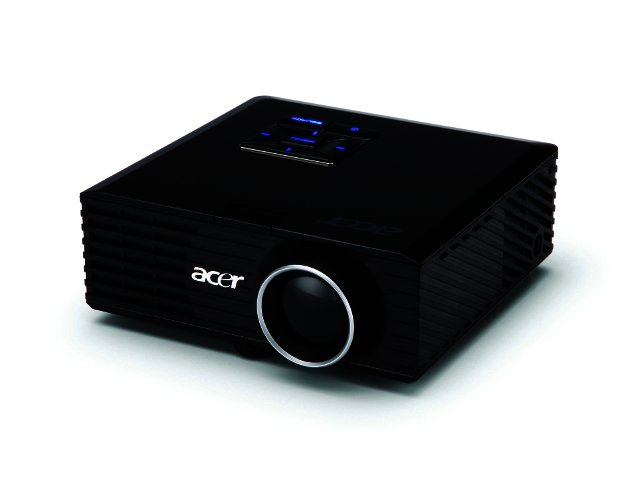
The Acer K11 LED Projector is a compact new offering from Acer which it claims is the world's smallest 200 lumens brightness projector.
Compact size
The projector falls into the 'pico' category thanks to its small size, measuring just 122 x 116 x 42.5 mm and weighing a paltry 610 grams. Acer claims the device is pocket sized, but we think handbag sized would be a more accurate estimate, except if you wear trench coats all the time.
It is still very small though and can easily fit in one hand, making it a very portable device.
Ports and slots
The K11 comes fully outfitted to take care of all your projection needs, whether you're on the move or just want to relax in front of a movie. The device features a composite audio/video connector, VGA connector and HDMI port to easily connect your PC, DVD players or notebook to the device. Do note that although the device includes an HDMI port, it won't be able to display full high definition images.
If you're on the move though or simply don't feel like lugging the extra weight around, the K11 also offers a USB 2.0 port and SD card reader for projection on the fly. Users can simply plug in the device, connect say, a USB flashdrive to it and start displaying immediately. It will read music, certain movie files and pictures off it, but no PowerPoint presentations.
The device is also compatible with the Apple iPhone and iPod using the appropriate Apple A/V adapter.
Image quality
The device has a native resolution of 858 x 600 pixels, which is adequate for such a small projector. It has a 200 lumens brightness level with a 2000:1 contrast ratio. This enables it to display images very well in a darkened room, but a lot of ambient light will disrupt the image, so make sure to keep the blinds closed and the lights off.
The K11 uses an LED light source meaning its lamp will last basically forever, with Acer estimating 20 000 hours of good display life. Thanks to LED technology, the projector also doesn't need to be cooled down before being unplugged and packed away.
Overall the image quality was quite impressive, displaying pictures and video in a very crisp and clear way. Once you start enlarging the display area it quickly drops though, so we'd recommend sticking with anything below 1.5 metres in width, making it not the most useful device for large projections. Acer claims clear projection of up to 2.54 m diagonally, but you'd have to be in an almost totally darkened environment for this to work well.
.jpg)
Menu system
The K11 sports an easy to figure out menu system and the projector automatically finds any device you plug in once users press the 'source' button. Once the menu starts users can navigate between photo, music and video files or access the device's settings.
Built-in speakers provide a nice audio touch, but don't expect Bose quality. We'd still recommend external audio if you're using the device on its own.
Conclusion
The Acer K11 is an impressive pico projector that's aimed more at the private and SME (small to medium enterprise) market than at large professional projector needs. It's highly portable and as long as there's not too much ambient light to disturb you the image quality is very impressive. Perfect for the business traveler or if you simply want to watch some movies by the good old power of light projection.
It retails for R5299 which is mainly thanks to its diminutive size, seeing that you will find more powerful, but bigger, projectors for almost the same price.

PROS
Simply plug it in to play files from USB drives and SDHC cards easily.

CONS
External power required
 Samsung Galaxy S4 Zoom - white
 Logitech Pebble 2 Combo
 Can flexibility and ingenuity rewrite the economics of township fibre?
 The HP Enterprise 400 Series – versatile printer range now in SA
 OPPO launches Reno16 F 5G smartphone in South Africa
 Quick Review: Tecno Spark10 5G


