
 Quick Review: Tecno Spark10 5G

 Oppo Reno8 Pro 5G vs Oppo Reno10 Pro+ 5G - worth t...
 Oppo Reno8 Pro 5G
If you hate smudging the high resolution capacitive display of your tablet or smartphone, then Apple accessory maker Ozaki, provides the perfect answer.
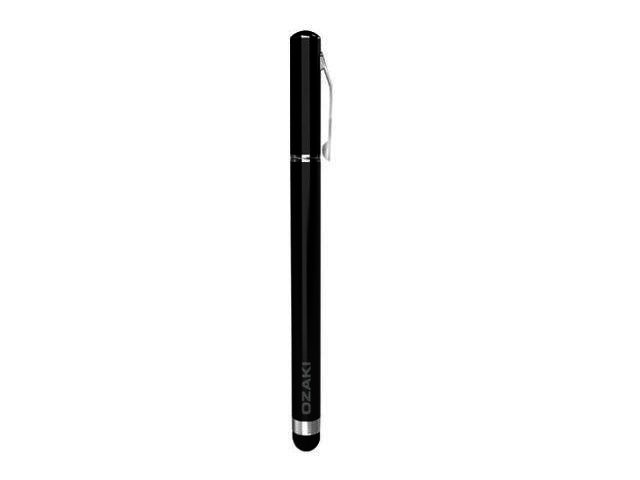
Ozaki’s iStroke L Stationary Style Tap Stylus (video posted below) for the iPad and iPhone, is diminutive in size compared to its rather long name, measuring 12.5 cm and weighing a mere 20 g. This makes the pen, which also doubles as a stylus that can be employed on capacitive touch-screens, quite comfortable to hold and write with.
Is the pen mightier than the finger?
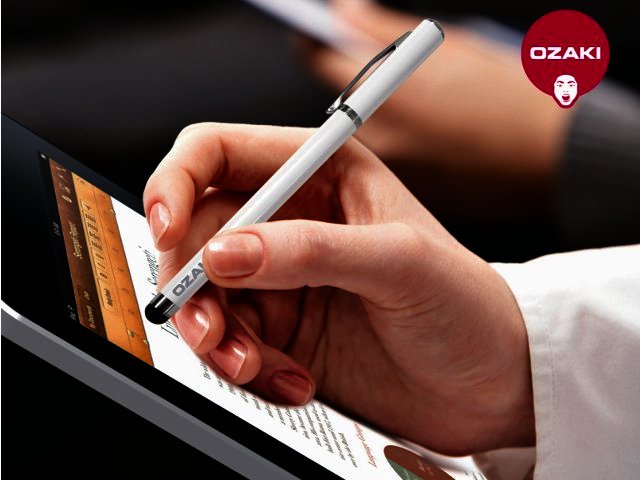
Taken at face value, this device is pretty much a standard ball-point pen and can be used as such. It even incorporates a handy built-in shirt clip so that you can fasten it to your shirt or pants pocket. In terms of its usage as a stylus, it will allow users to avoid getting any fingerprints and oily smudges on your touch-enabled display, due to the durable foam tip of the stylus. Another benefit is that you can relieve finger pressure while reading an iBook, or playing a game such as Angry Birds or Fruit Ninja.
Limitations
When paired with an iPhone or iPad however, the pen allows users to tap and scroll their way through Apple’s mobile operating system (OS) and iOS applications with ease. You can do almost anything you are able to do using your finger, except of course for the multi-touch pinch-to-zoom functionality in the Photos app and Safari browser, but you can just as easily employ the tap-to-zoom feature.
Final word
Ozaki’s iStroke L Stationary Style Tap Stylus for iPad & iPhone can be quite useful to germaphobes and neat freaks that want to keep their touch-screens fingerprint and smudge-free zones. We still feel though that it will very much cater to a niche market only, going for a recommended retail price of R300. Phone Gammatek for more info on 011-201-0800.
Pros: Smudge and fingerprint free display, easy to use, still functions as a normal pen.
Cons: One ‘finger’ tapping is slower for chatting and you can’t employ multi-touch functionality.


 The future of digital identity in South Africa
-2.jpg) Weak AI vs Strong AI
Weak AI vs Strong AI Duxbury strengthens commitment to AV-over-IP market with dedicated NETGEAR switc...
 Spider-Man: Homecoming
 First Battery repositions, appoints Shane Petersen as Director of Sales and Mark...
 Online shopping in South Africa sees 29% increase during 2023 - World Wide Worx
 Latest Windows 10 Insider Build features Eye Control


