
 Airpop Active mask
 Bitdefender Total Security 2018
 McAfee All Access Household 2012, 5u, Box, ENG
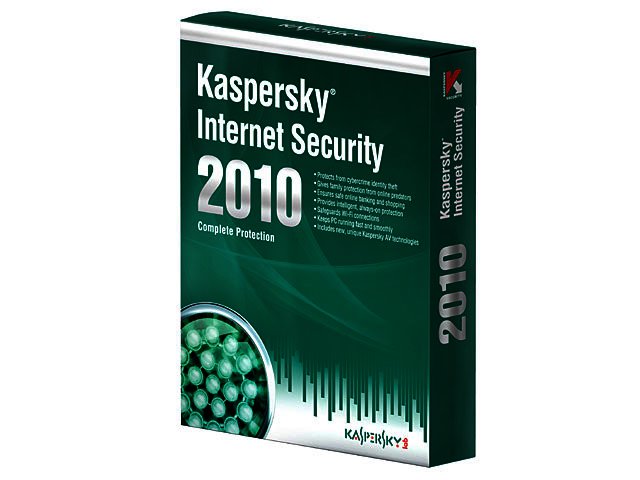
Updating your antivirus software is a little like renewing your TV license every year; it feels as if you’re handing money over for something that’s barely changed or improved since you last paid for it. Kaspersky Internet Security 2010 (KIS 2010) won’t really leave you feeling any different, but that’s a good thing. KIS 2009 was so comprehensive a few tweaks and additions are worth the price of another year’s license.
Installation
Installing KIS 2010 is straightforward, although not quite as simple as Norton 2009’s “one-click-install” feature. The installation process is logical and demands very little from the user (unless you need to remove a rival bit of software). Importantly it installs in a configuration that will protect your PC without any real need for you to change settings.
There is also the option of a custom install which allows you to configure which components will be installed such as the IM Anti-Virus, Anti-Spam, Parental Control, or Virtual Keyboard components. This is more for power users than the average user, so, unless you have a very clear idea of what you do or don’t want, simply do a complete install.
KIS can run on Windows XP, Vista and (importantly) 7, and offers a protected install so your PC is sheltered throughout the installation process.
User interface
Kaspersky have noticeably done a bit of work on the interface. KIS 2010’s menu layout is a major improvement over 2009’s. It offers five self-explanatory tabs to navigate by, namely; My Protection, My Security Zone, Scan My Computer, My Update Centre and Security+.
The layout literally puts any function you want to perform within a few clicks of the start page. The familiar colour coded status indictors (red, yellow and green) on the suite\'s start page are still there so you’re never in any doubt about your security status. There’s also a nifty graphic slider that indicates when files are being scanned, which adds a nice visual representation of a scan in progress.
KIS 2010 also offers a browser tool bar for IE and Firefox, something KIS 2009 lacked. Using these tools is really straightforward. There is even a Virtual Keyboard shortcut. The Virtual Keyboard is designed to prevent keyloggers from grabbing your passwords for various online services and apps. Although it must be pointed out that many security experts agree that virtual keyboards aren’t wholly effective.
Features
KIS 2010 offers a very comprehensive set of features. There are three fundamental feature sets behind its protection package namely; File and Private Data Protection, System Security and Online Security.
File and Private Data Protection offers antivirus and application monitoring tools including File Anti-Virus, Applications Control, and Proactive Defence tools. System Security offers Mail Anti-Virus, Web Anti-Virus, IM Anti-Virus, Applications Control, Procative Defence, Network Attack Blocker and Anti-Spam tools. Finally Online Security offers Firewall, Network Monitor, Anti-Fishing, Anti-Banner and Parental Control. Each of these components can be enable or disabled and each of their setting adjusted to suit you needs.
As you would expect from a commercial package, these tools work well with a specific mention required for the suite’s Firewall and Anti-Spam functions. KIS 2010’s Firewall quite cleverly blocks attack-type traffic rather than stealthing all ports like most other internet security products. This makes it efficient and very secure. The Anti-Spam filter is also rather clever as it filters all mail account types including IMAP and Exchange accounts, which is very handy.
Beyond these tools there is a straight-forward scan application, an update centre and a set of extra tools which allow you to create a rescue disk or erase your activities history for instance. Our one complaint concerns the scan function as there was no obvious function for scheduling scans. Instead you have to adjust the schedule in the suite’s Settings.
Sandboxing
There is one new KIS feature that should appeal to most users, especially users who download applications from the internet on a regular basis. KIS 2010’s Safe Run mode allows you to run suspect applications in a virtual environment, or “sandbox”, to ensure that the application is safe to run on your OS.
While this feature is very cool, complete with green glow around the window you run applications in, it’s resource hungry and will slow down your system.
Performance and verdict
KIS 2010 performed scans fairly quickly, from a few minutes for a Quick Scan to just short of an hour for a Full Scan. In terms of its efficiency in detecting viruses and malware we can’t comment at the moment as only time, extensive independent testing and comparisons with rival packages will tell.
The best we can say is that the previous version performed well enough, particularly in the malware detection stakes. The suite did however cause a slight slow-down in our test system\'s performance, though the slow-down didn’t noticeably disrupt workflow or productivity in other applications.
KIS 2010 is a very solid security suite with a robust set of security tools. At R299 for a single user license it’s however a little on the pricey side as far as internet security suite’s go.


 Logitech Pebble 2 Combo
 Samsung Galaxy S4 Zoom - white
 Quick Review: Tecno Spark10 5G
 Samsung Galaxy S4 Zoom (black)


