
 Lexmark Pinnacle Pro901

 Lexmark Prevail Pro705
 HP Photosmart Plus B209a 3-in-1 Printer
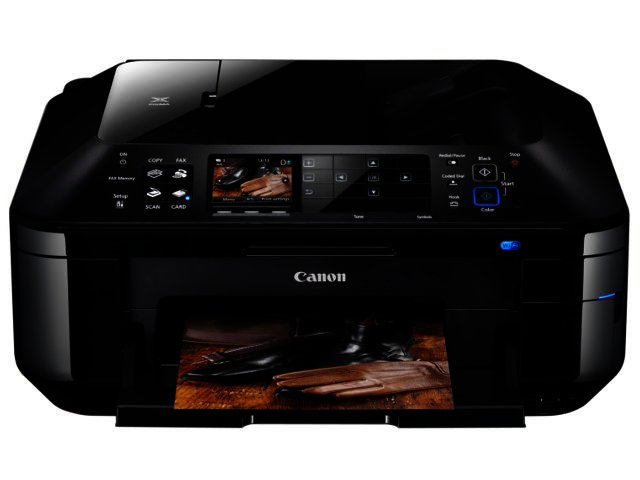
Canon’s PIXMA MX884 is an all-in-one (AIO) targeted at home and small office users. This Wi-Fi enabled AIO is sure to boost office productivity with its duplex printing, copying and scanning capabilities.
Design
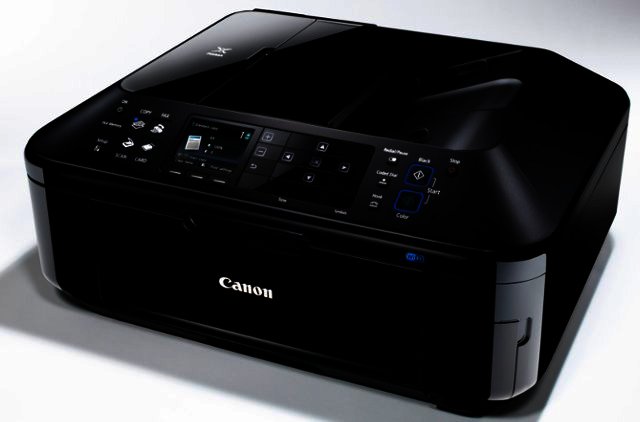
At around 491 x 448 x 218 mm the MX884 isn’t the biggest printer we’ve tested by any means, but it does annex a great deal of desk real estate none-the-less. It shares the same glossy black plastic design threads of the PIXMA iX6540 and the PIXMA MG6140, which is suitable for the professional office environment, but nowhere near as trendy as the chic design of the Lexmark GENESIS S815.
Like the PIXMA MG6140 printer it doesn’t boast touch-based operation, which seems to be in vogue at the moment, rather opting for a conventional button-based setup. This configuration might not look or feel as modern as the Samsung Galaxy S-looking touch-screen on the HP Officejet Pro 8500A Plus, but functions just as well and is quite easy to employ.
We liked the inclusion of a number of ports the likes of a CF, memory stick (MS), MS DUO, SD card slot, as well as a USB slot, at the front of the unit. These enable you to cut out the PC middle man and print photos directly from your memory stick as well as to save your scanning jobs onto portable storage solutions. You can also check images before sending them to be printed on the MX884’s 7.5 cm colour TFT display.
Printing performance
After checking printing jobs on the display you can send them to be printed, with printing quality one category in which Canon’s printers never fail to impress. The PIXMA MX884 is no exception, offering users an excellent print resolution of up to 9600 x 2400 dpi, which allows for an impressive level of detail on printouts. Printing speed on the Fast and Standard Print Quality settings were excellent and equally as impressive on the High setting, on which the quality is at its best.
Paper handling
Almost as crucial for the office users as the printing pace, is the printers input capacity. Home users might find the 150 sheet printing page capacity suitable, but small businesses that print out a lot of flyers and office documents might have to refill the tray more often than they like.
Printouts land neatly onto the output tray, which also falls done automatically if you forget to pull it down before printing or copying. Right on top of the printer is a really handy 35-sheet automatic document feeder (ADF), which allows for duplex (double-sided) copies and scanning jobs to be done.
Scanning and copying
Being an AIO means the MX884 doesn’t only allow users to print but to perform scans and make copies as well. You can employ either the flatbed scanner or ADF for scanning and copy jobs. Scanning jobs are completed at a very good resolution of up to 2400 x 4800 dpi. They are also completed at an acceptable pace when employing the flatbed surface, and at a very good pace when you switch over to the ADF. Jobs can be saved, as PDF documents, image files JPEG or editable OCR documents, to the PC, or directly on your memory stick or memory card.
Other features
As with most of Canon’s other printers in the PIXMA range, the MX884 enables users in possession of a Canon digital camera or camcorders to capture the best movie frames and send these to be printed thanks to Full HD Movie functionality. You simply play your movie via your PC (using Canon’s software) and capture the frames.
Speaking of software, Canon’s easy-to-use Easy-PhotoPrint EX software is included on the installation disk. This is one of the more simple printing packages to use and a great improvement over the usual Windows setup. You can connect to the home- or office network via Wi-Fi IEEE802.11 n for which the setup is easy, although connecting to the network is another matter altogether.
Final word
What the Canon PIXMA MX884 lacks in terms of trendy design and touch-based operating system, it makes up for in ease of use, reliability and practicality. It offers excellent levels of printing and scanning quality and very good speed performances as well. It goes for a recommended retail price of R1750.
Pro
Easy to use, printing and scanning quality, printing speed, ADF, memory card slots.
Con
Takes up a lot of desk space, old school button-based operation, only 150-sheet input capacity and not the most flattering design.


 Logitech Wireless Solar Keyboard K750
 Logitech M305
 Verbatim Clip-it 2 GB USB drive
 SanDisk iXpand Flash Drive
 ManageEngine rolls out autonomous AI capabilities across its suite to power digi...
 Logitech Pebble 2 Combo
 Samsung Galaxy S4 Zoom - white
 Quick Review: Tecno Spark10 5G


