PREVIOUS ARTICLENEXT ARTICLE
GIZMOS
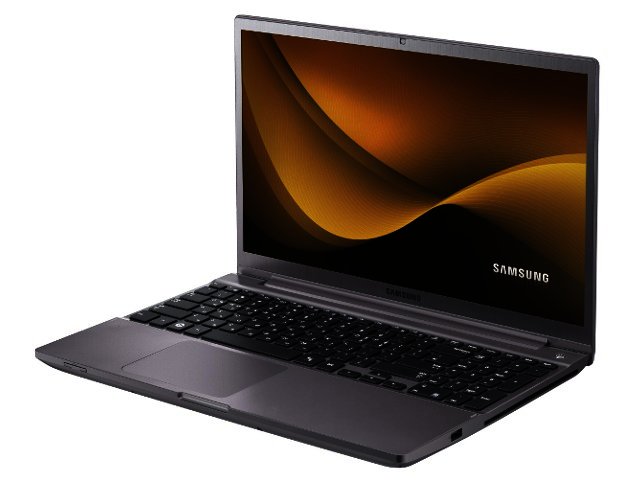
Quick review - Samsung Series 7 Chronos
By Mike Joubert 24 July 2012 | Categories: gizmos
Related Articles
 Great Gear - Ear Candy
 Win a Leitz Multicharger
 Quick review - Metro Last Light
Samsung's clout in the notebook space has been heavily boosted with their Series 9 ultra-thin last year, and their general line-up of notebooks is becoming more and more respectable. The new Chronos is a good case in point.
With all the hype around ultrabooks the past few months, it’s good to receive a regular notebook for review again, especially in the form of the Samsung Series 7 Chronos. With decent looks and great performance, this 15.6" model comes packaged in a brushed aluminium shell that denotes pure business.
Power with a punch
Although it’s no ultrabook in size, its weight of 2.3 kg and 24 mm height is commendable, especially if you consider that it provides not only a second generation Intel Core i7 quad core processor (2675QM @ 2.2 GHz), but also a graphics card via the AMD Radeon HD 6750M. This ensures that regular business duties are performed without even a hint of trouble, helped along with a very generous 8 GB scoop of RAM.
Power with a punch
Although it’s no ultrabook in size, its weight of 2.3 kg and 24 mm height is commendable, especially if you consider that it provides not only a second generation Intel Core i7 quad core processor (2675QM @ 2.2 GHz), but also a graphics card via the AMD Radeon HD 6750M. This ensures that regular business duties are performed without even a hint of trouble, helped along with a very generous 8 GB scoop of RAM.
Once home, the latest games should survive with medium to high details settings. For faster boot-up times the Chronos combines the regular hard drive (in our model 500 GB) with an 8 GB SSD drive, know as the ExpressCache solution. This allows it to boot-up much faster (about 40 seconds till everything finished loading), than with only the regular hard drive.
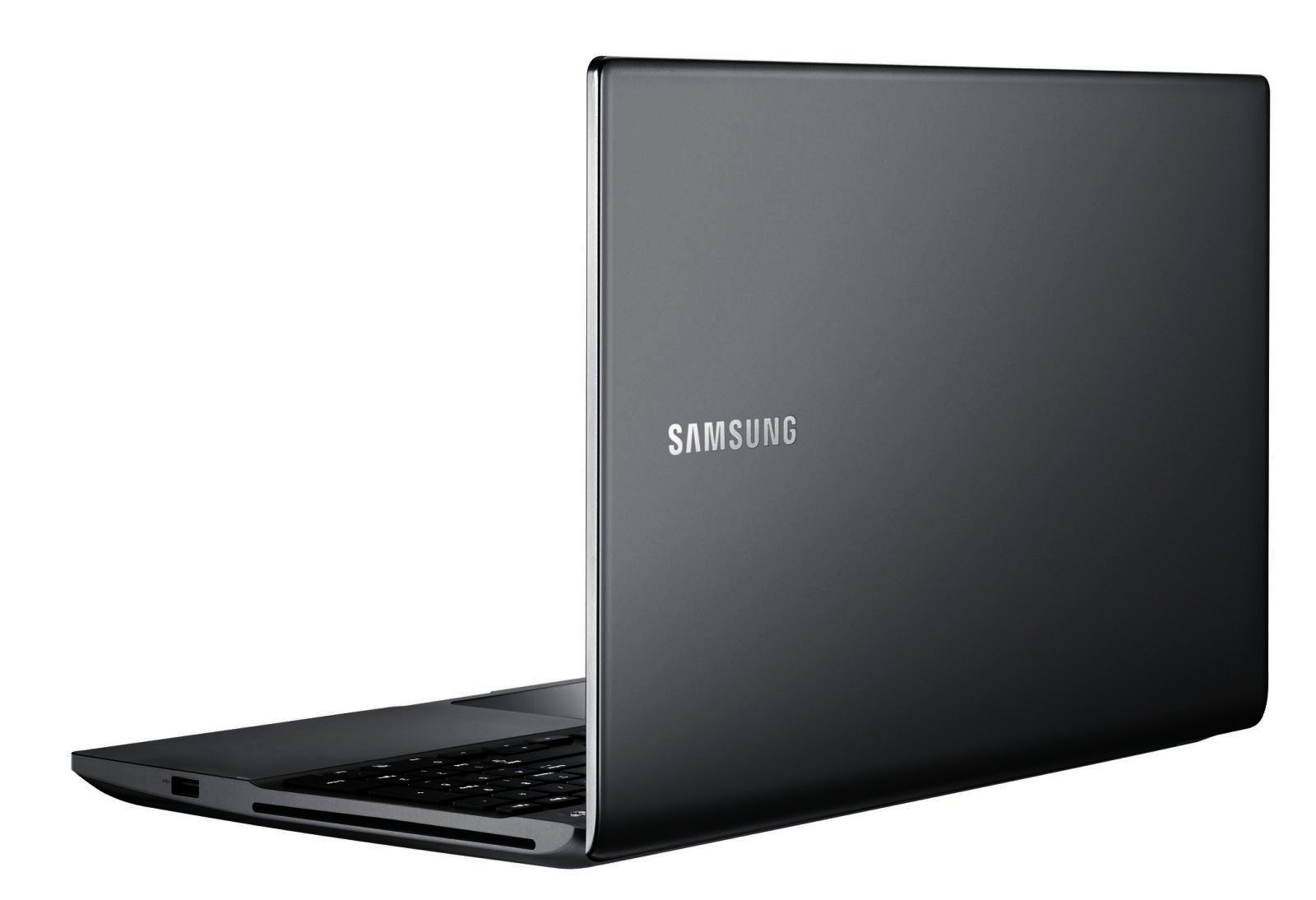
With a fast processor and very decent battery life, the Samsung Chronos comes highly recommended.
All aboard
The keyboard and number pad fits in the same amount of space as many other machines provide for a keyboard only. Despite the keyboard’s smaller size we found it very easy to type on, while, as an added bonus, you can control the brightness of the backlighting.
Unfortunately the palmrests are slightly too large for our liking, while the mousepad could have benefited with a few millimetres’ move to the right. You won’t suffer due to lack of choice on the port side, since the Chronos includes a generous two USB 3.0 ports for faster data transfer (plus one USB 2.0), HDMI, a DVD drive and SD card reader.
Samsung’s conglomeration of the most common adjustments under their Easy Settings shortcut is also a definite plus, although we feel that the Korean tech giant could have done more to boost the sound of the rather ordinary onboard speakers.
Samsung’s conglomeration of the most common adjustments under their Easy Settings shortcut is also a definite plus, although we feel that the Korean tech giant could have done more to boost the sound of the rather ordinary onboard speakers.
To the point
With its above average performance and battery life, decent looks and added number pad, it’s difficult not to recommend Samsung’s Series 7 Chronos. Yours for R13 400.
USER COMMENTS
Most Read Articles
 The Big Issue - The Google Plus social network
 Sun-powered microgrid study launched in Pretoria
 BluWave CRM - Clients come first
 Huawei’s All-Optical smart-home showcase unleashes a new era of home connectiv...
 Logitech Pebble 2 Combo
 Samsung Galaxy S4 Zoom - white
 Dell Technologies Forum to explore how businesses can scale AI
 How AI orchestration is reshaping the modern customer journey
Read

Magazine Online

TechSmart.co.za is South Africa's leading magazine for tech product reviews, tech news, videos, tech specs and gadgets.
Start reading now >
Download latest issue

Have Your Say
What new tech or developments are you most anticipating this year?
New smartphone announcements (46 votes)
Technological breakthroughs (29 votes)
Launch of new consoles, or notebooks (14 votes)
Innovative Artificial Intelligence solutions (29 votes)
Biotechnology or medical advancements (25 votes)
Better business applications (160 votes)

